Cheap wireless gaming mouse: $20 or $70?
What a $16 to $22 mouse gives you, what a $68 to $74 one adds, and whether 8,000 Hz polling and a flagship sensor are worth paying for.
Budget wireless gaming mice on AliExpress fall into two groups: around $20, and around $70. The listings quote big numbers for both, so it is hard to see what the extra money buys. These six are picked from published reviews, specifications and owner discussion; chi-fi has not tested them (see how we pick). Prices are “from” prices.
The short answer
- Casual and everyday gaming: a $16 to $22 mouse is enough. The Attack Shark R1, AJAZZ AJ139 and Attack Shark X11 all weigh 59 to 66 g and connect three ways.
- Competitive shooters: the $68 to $74 group adds a newer sensor, much lower weight (39 to 49 g) and up to 8,000 Hz polling.
What $20 gets you
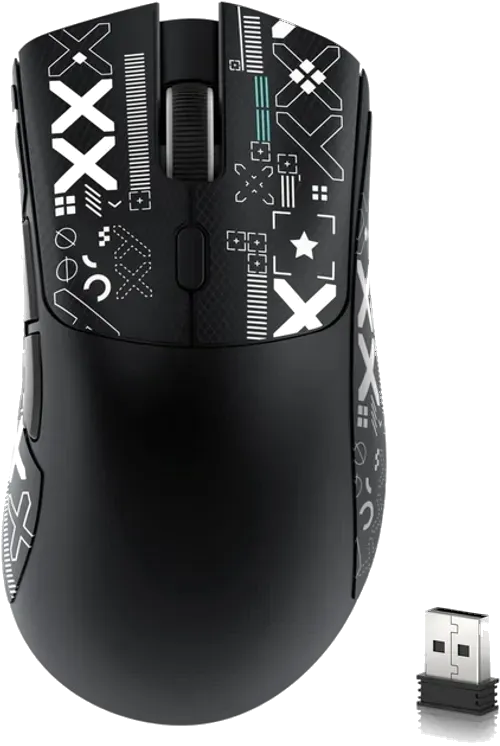
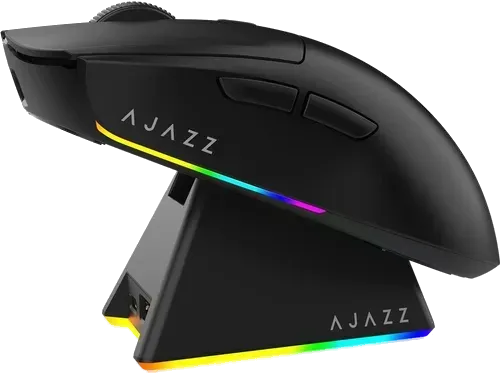
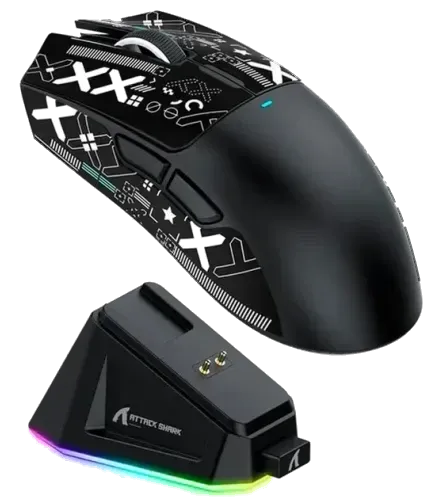
All three use PixArt’s older PAW3311 sensor, which is accurate enough for everyday and casual gaming and less precise than pricier mice for competitive shooters. All three connect by USB-C cable, 2.4 GHz dongle or Bluetooth.
- The R1 (from $16) is the lightest at about 59 g and the cheapest. The maker quotes up to about 65 hours per charge. It is fairly large at 123 × 64 mm, and the side buttons can wiggle.
- The AJ139 (from $19) comes with a magnetic charging dock. The name covers two models, the V2 MC and the Pro, with different sensors and weights, so check which the listing is.
- The X11 (from $22) has a magnetic RGB dock that also holds the receiver. It uses the same sensor as the cheaper R1, so you are mostly paying for the dock.
What $70 adds
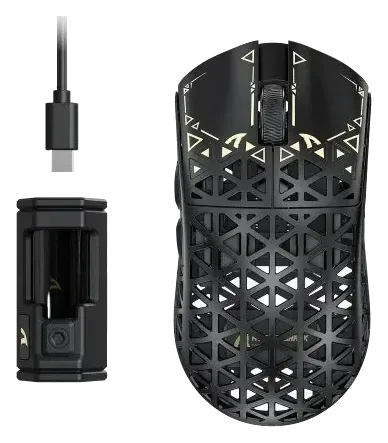
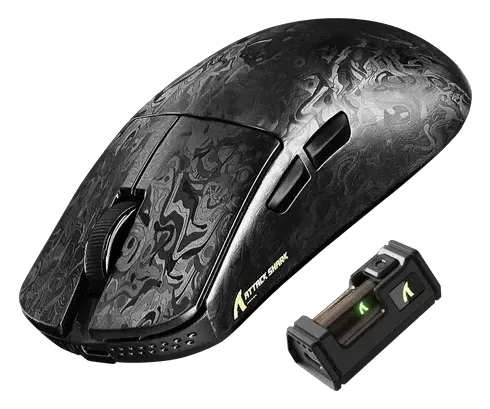
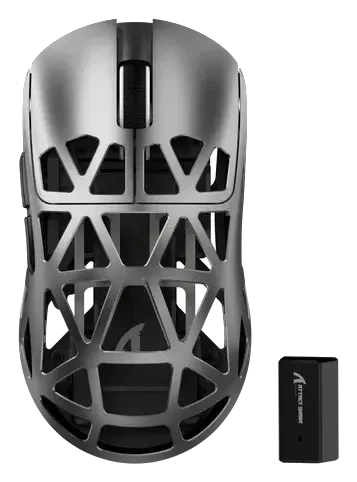
- The R5 Ultra (from $72) is about 39 g with a carbon-fibre shell and an ambidextrous shape. It does not store settings profiles on the mouse, and the coating can feel slippery.
- The R11 Ultra (from $68) is about 49 g with a forged carbon-fibre shell. The textured surface grips well but feels rough to some hands.
- The R2 (from $74) is about 45 g with a magnesium-alloy shell. It is small, at about 118 × 62 mm.
All three use a PixArt PAW3950-family sensor, support up to 8,000 Hz polling, and connect by cable, dongle or Bluetooth. Independent testing of them is thin, so many of the claims come from the maker.
The terms, in plain words
Sensor. The part that tracks movement. A newer sensor tracks fast movements more precisely. The PAW3311 in the cheap group is older; the PAW3950 family is the flagship line.
DPI. How far the cursor moves per inch of mouse movement. The box numbers (18,000 on the R1, 42,000 on the pricier mice) are ceilings. Most players set it far lower, so a higher maximum is not a reason to pay more.
Polling rate. How many times a second the mouse reports to the PC. 1,000 Hz is once every millisecond; 8,000 Hz is every 0.125 ms. A higher rate asks more of the PC and the battery, and the highest rates need the cable on some mice, so check the listing. For casual play the difference is small.
Weight. Grams matter more than any of the above for comfort. At about 59 g the R1 already weighs noticeably less than a typical office mouse; the $70 group goes much lighter.
Optical switches. These avoid the double-clicking that wears out older mice. The R2 and R11 use them, rated for 100 and 70 million clicks (the maker’s figures).
Pick by your hand
- Palm or claw grip, larger hands: the R1 is built for them, but can feel big in small hands.
- Fingertip grip or smaller hands: the R2 is very small, and suits a fingertip grip rather than a palm grip.
- Left-handed: the R5 Ultra has an ambidextrous shape.
Before you buy
- Check which model the listing is. The AJ139 name covers two models. The R2 is sold with and without a charging dock.
- Battery figures are the maker’s. The R1 is rated at about 65 hours and the AJ139 at 40+ hours on 2.4 GHz.
- The X11 has no power switch to save battery.
- Use the dongle for games. Bluetooth suits laptops and tablets, and the dongle gives low-lag wireless play.
The six picks below each list their own pros and cons.